
Offline maps for travel: what to save first
In short
Before you leave, download three things on Wi-Fi: the map of your destinations, every ticket and booking as a file, and your itinerary with addresses. GPS positioning works without mobile data. Roaming rules depend on your plan – within the EU, EU plans work at home prices, while many UK plans now charge abroad; a travel eSIM is often the cheaper fix.

A dead spot in a mountain village, a data plan that does not work abroad, a metro with no signal – at some point on holiday the network disappears. Usually exactly when you need the address of your accommodation or the QR code for the museum. The fix is unspectacular: a few minutes of preparation at home on Wi-Fi. This guide shows what to save offline before your trip, how to put maps on your phone, what to watch out for with roaming and how to test that everything works before you leave.
Why prepare offline?
- Roaming: with a plan from an EU country, “Roam like at home” lets you use mobile data in the EU, Iceland, Liechtenstein and Norway on your domestic terms. Switzerland, Turkey and destinations outside Europe are not covered. With a UK plan, check your contract: many UK operators now charge or limit roaming in the EU.
- No signal: in the mountains, on small islands, in old-town lanes with thick walls and in many underground railways, the signal is weak or missing.
- Battery: a phone that keeps searching for a network drains faster. Data stored offline saves battery.
- Peace of mind: if you know your tickets and addresses are on the phone, you do not have to hope the page loads at the gate or the museum entrance.
Good to know: GPS positioning works without mobile data. Your phone knows where you are – it just needs a map to show it on.
What to save offline before your trip
| What | How | When |
|---|---|---|
| Maps of your destinations | offline area in your maps app or offline package in your trip planner | in the week before you leave, on Wi-Fi |
| Boarding passes | in the airline app, in your phone wallet or as a PDF | after online check-in |
| Hotel and car hire bookings | save the confirmation as a PDF | right after booking |
| Timed tickets | PDF or screenshot of the QR code | right after buying |
| Itinerary with addresses | in your trip planner or as a note | before you leave |
| Address of your accommodation in the local language | as a note or screenshot | before you leave |
| Language pack for translation | in your translation app | on Wi-Fi, the packs are large |
| Copies of passport and insurance | encrypted or in a protected folder | before you leave |
Saving maps offline
Most maps apps let you download an area. Choose it generously: not just the old town, but also the airport, your hotel and the places for day trips. On a road trip, download several areas rather than one huge one. Offline maps take up storage – check that you have enough free space first. And check whether your app also calculates routes offline: for driving this often works, for buses and trains you usually need internet because timetables are looked up live.

Tickets and bookings
Save every confirmation as a file, not just as a link in an e-mail. A link does not open without signal, a PDF does. Boarding passes are best kept in your phone wallet or the airline app after online check-in. For timed tickets to museums or sights, a screenshot of the QR code is often enough – tickets for Lisbon and Sintra* can be bought at Tiqets, for example, and saved straight away as a file.

Your itinerary
A plan only helps on the road if it opens without signal. Note the most important addresses and the order for each day. If you have to get from the airport into town without data, book the transfer in advance, for example an airport transfer in Lisbon* with Welcome Pickups, and keep the meeting point and driver details on your phone.
Roaming and eSIM
Before you leave, check whether your plan covers your destination. If it does not, you have three options:
- A travel add-on from your provider – convenient, but often expensive per gigabyte.
- A travel eSIM – installed at home and switched on when you arrive; your usual number stays reachable. For Portugal you can get an eSIM for Portugal* from Airalo, for example. Your phone must support eSIM.
- A local SIM card – usually cheap, but it needs a free card slot and, depending on the country, ID.
Whichever you choose, switch off data roaming on your main SIM when you use an eSIM. Otherwise data keeps running in the background on the expensive plan.
The test before you leave
The most important step is often skipped: try it. The evening before your trip, switch on flight mode and check:
- Does the map of your destination open, and can you zoom in?
- Do your boarding pass, hotel confirmation and tickets open?
- Can you see your plan for the first day with addresses?
What does not work in flight mode will not work without signal on the ground either.

How YesTrip helps without signal
YesTrip is a free trip planner that mostly works offline. Your trips and tickets are stored on the device anyway. For the map there is the offline package: it downloads the map, places, photos and routes of one trip to your phone – only for the area around your stops, down to street level, with the light and the dark map. The sheet shows the status, the size and when the package was last updated. If new places are added to the trip, YesTrip tells you so you can update the package.

On a round trip such as Lisbon to Porto, the package does not download one huge map section but the areas around your stops. That keeps it small enough for your phone.
Base map: Natural Earth
On the road, the Today view shows the next stop, how far away it is and the weather. Tickets are kept on the device and, encrypted, in your account, so they show on all your devices – offline too. Your own photos stay on the device only.


What YesTrip cannot do without signal: the AI and the search for flights, hotels and tours need an internet connection. And “Start route” hands the way over to your phone's maps or navigation app – for turn-by-turn navigation without signal, you need the offline map there too.
What lists, routes and My Maps can do otherwise, and where their limits are, is in Plan a trip with Google Maps.
* Ad – Partner link: if you book there, we earn a commission. Your price stays the same.
Free
Plan your trip in 30 seconds.
Tell YesTrip where and when – the app plans day by day with real places on the map, shows the weather, splits costs with your travel companions and guides you to the next stop on the go.
Frequently asked questions
How do I save maps offline on my phone?
In most maps apps you select an area on the map and download it. Do it on Wi-Fi, choose the area generously including the airport and day-trip destinations, and test it in flight mode. In YesTrip, the offline package downloads the map of all places of a trip in one go.
Does GPS work without internet?
Yes. GPS positioning does not need mobile data. Without a saved map, though, you only see your location on an empty background. That is why you need to save the map offline beforehand.
Do I need an eSIM in Europe?
It depends on your plan. With a plan from an EU country you use data in the EU, Iceland, Liechtenstein and Norway on domestic terms, usually with a fair-use limit. Many UK plans now charge for roaming in the EU, and Switzerland is not covered by the EU rules – there, a travel eSIM is often much cheaper.
What should I save offline before a holiday?
The map of your destinations, boarding passes, hotel and car hire confirmations as PDFs, tickets with QR codes, your itinerary with addresses, the address of your accommodation in the local language and a language pack for translation. Copies of your passport and insurance belong in a protected folder.
Does YesTrip work without internet?
Mostly, yes. Trips, plans and tickets are available without signal, and with the offline package so is the map with places, photos and routes. The AI and the search for flights, hotels and tours need an internet connection.
How can I store tickets and routes for offline use?
Save every ticket as a file or screenshot on the phone itself – a link in an e-mail does not open without signal – and download the map area and the walking or transit routes of your stops before you leave. In YesTrip, trips and tickets are stored on your device anyway, and the offline package adds the street map, place photos and routes of one trip. The AI and the searches for flights, hotels and tours still need a connection.
Sources
- European Commission: roaming in the EU – europa.eu
- Map data: OpenStreetMap contributors – www.openstreetmap.org
Researched with AI support and checked by our editors. Prices, opening hours and weather can change – please check before you go. YesTrip is not a travel agency. Published: .
More articles
 Planning & packing
Cherry blossom Japan: when and where, by city
On 1991 to 2020 averages, cherry blossom opens in Tokyo on 24 March and reaches full bloom on 31 March, on 4 April in Kyoto, 13 April in … · 6 min read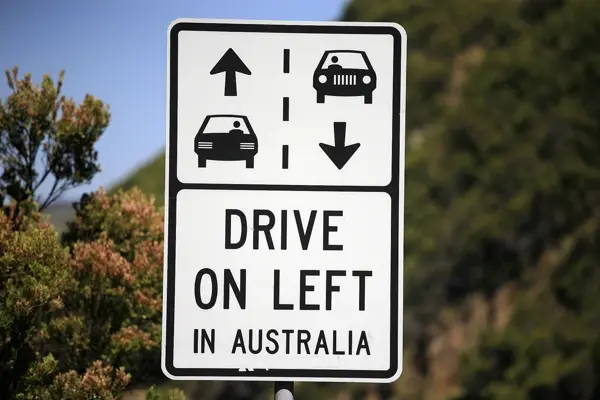 Planning & packing
Countries that drive on the left: all 54 listed
54 of 195 countries drive on the left, in Europe only the UK, Ireland, Malta and Cyprus. Japan, Thailand, India, Australia, New Zealand and … · 6 min read Planning & packing
Honeymoon destinations by month: 12 places
The right trip depends on your wedding month: January Maldives (27.9 °C, 74 mm of rain), March Cape Town (24.0 °C, 29 mm), June Amalfi Coast … · 7 min read


